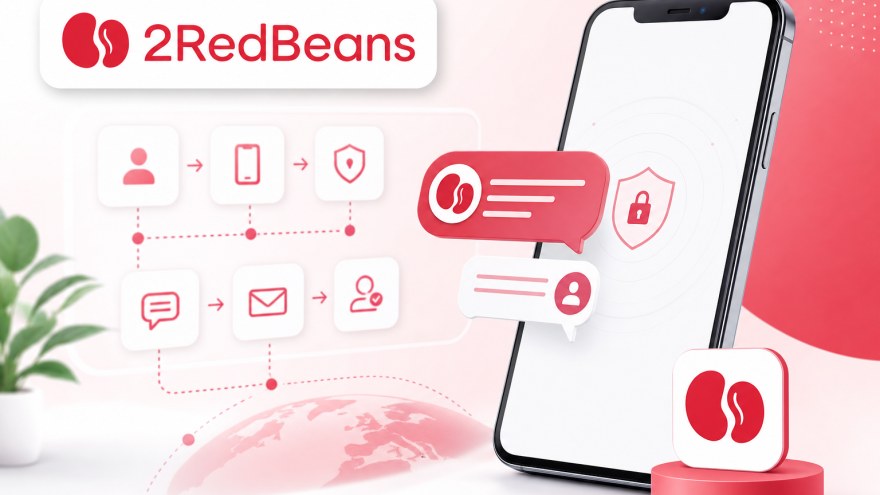
Your 2RedBeans verification screen should be open before a rental clock begins. Have your own account details ready, confirm the country requested by the phone field, and make sure you can complete the SMS step without an avoidable interruption. The available number listings can change, and 2RedBeans still decides whether it accepts a number and sends a message.
A NonVoipUsNumber rental supplies access to a non-VoIP number and its associated order inbox for the selected period. It may fit a lawful account setup that requires SMS reception, but it does not guarantee verification, message delivery, or continued acceptance by 2RedBeans.
A readiness check before placing the order
Prepare the account first rather than renting a number at the beginning of the full registration process. Complete all permitted fields that come before phone verification using your own accurate information. Keep the 2RedBeans page open at the point where it asks for a phone number, but do not repeatedly request messages while deciding what to buy.
Check these items before committing to a rental:
- Your account details are complete: use information that belongs to you and is consistent throughout the registration session.
- The country requirement is clear: the country selected in the 2RedBeans form must agree with the country of the rented number.
- You have enough uninterrupted time: a short rental is less forgiving if the browser closes, the session resets, or you leave the task unfinished.
- The verification request is legitimate: follow 2RedBeans terms and do not use a rented number to create deceptive, duplicate, abusive, or unauthorized accounts.
- Your connection is stable: abrupt location or network changes can complicate a third-party registration session even when the SMS inbox works correctly.
Match the rental window to the task
The catalog identifies 2RedBeans options under US Short Term, 1 Day, and 30 Days. These labels describe different access windows; they do not indicate that 2RedBeans will accept every listed number or that an SMS will arrive within a particular time.
US Short Term is the practical candidate when the verification prompt is already open and the number is needed for an immediate request. 1 Day allows more time when account setup may continue later in the day. 30 Days can make sense when lawful follow-up access may be needed during a longer period. A longer rental provides a wider access window, not a promise that the same number will satisfy future checks.
Pricing and inventory are dynamic. Consult the server-rendered rental-options table on this page and the live 2RedBeans number pricing and availability listing before choosing. If a category is displayed but has no rentable number at checkout, wait for the live listing to change or select another currently available duration that genuinely fits the task.
The route from an available number to the SMS inbox
Keep the handoff between 2RedBeans and the rental order deliberate. Enter the rented number only in the phone-verification field, and monitor the order inbox rather than a personal messaging application.
- Create or access your NonVoipUsNumber account through the account signup page.
- Use your own accurate details to prepare the 2RedBeans account until its phone-verification step is visible.
- Choose the matching 2RedBeans service listing and an available rental window. US Short Term orders are handled from the short-term dashboard, while 1 Day and 30 Days use their respective rental areas.
- Rent an available number and copy it carefully, including the correct country code where the 2RedBeans form requires it.
- Enter that number only at the 2RedBeans phone-verification step, then request the SMS once.
- Return to the NonVoipUsNumber order inbox and wait for the incoming message. Avoid refreshing or resending so aggressively that either service limits further attempts.
- If a verification code appears in the order inbox, enter it promptly in the active 2RedBeans form. Do not share the message or code with anyone else.
The relevant order areas are the short-term dashboard for US Short Term, the one-day rental page for 1 Day, and the long-term orders page for 30 Days. Verify the service name before confirming an order; a number rented for a different service may not be appropriate for a 2RedBeans message.
Reading the order inbox without making assumptions
The order inbox is where a delivered SMS associated with the rental can appear. A completed number order by itself does not mean that 2RedBeans has sent anything. Keep the order active, leave the verification session open, and allow reasonable delivery time before diagnosing a failure.
If a message arrives, inspect it only for the information needed to complete your own verification request. Enter the code on the genuine 2RedBeans page that initiated the request. Treat verification messages as sensitive: do not forward them, publish them, or ask another person to complete the account step.
An empty inbox has several possible causes. The request may not have been submitted, the country format may be wrong, delivery may be delayed, the rental may no longer be active, or 2RedBeans may have declined the number before sending an SMS. The inbox alone cannot establish which explanation applies.
A recovery playbook for common failure points
No SMS appears
Confirm that you pressed the legitimate send or continue control on 2RedBeans and that the order still shows an active rental state. Recheck the copied number and country code. Wait before using the resend option, because repeated requests can trigger third-party rate limits. If the inbox remains empty, use the site live chat widget for order-specific help without exposing the code or unnecessary account information.
The desired listing is unavailable
Availability can change between viewing a category and placing an order. Return to the live listing rather than relying on an earlier page state. You may choose another available 2RedBeans rental window if it suits your timing, but do not buy an unrelated service listing as a substitute.
The country does not match
Stop before requesting the message. The country selected on the 2RedBeans form and the rented number's country need to align. Do not disguise your location or attempt to defeat regional restrictions. If a legitimate privacy or connection-consistency need exists, a stable high-quality proxy or reputable paid VPN may reduce network instability, but it must not be used to bypass bans, fraud controls, eligibility rules, or service terms.
The rental has expired
An expired rental should not be treated as an active inbox. If 2RedBeans still permits a lawful new request, return to the live catalog and rent another available number under the correct service. Update the phone field before requesting another SMS; a message sent to the expired number may not be retrievable.
2RedBeans rejects the number
Third-party rejection can occur even when the order itself is valid. Confirm formatting and country selection first. If those are correct and the current rental remains unusable, check whether another available 2RedBeans number can be ordered under the applicable site rules. Stop if 2RedBeans blocks further attempts or indicates that the account is ineligible. A rental must not be used to evade that decision.
Where the rental's responsibility ends
NonVoipUsNumber controls access to the rented number and order inbox, while 2RedBeans controls its registration requirements, number screening, message dispatch, rate limits, and account decisions. Those systems are independent. For general questions about compatibility, rental timing, or billing, review the number rental FAQ before ordering.
Use the service only for lawful verification of an account you are entitled to operate. Supply your own account details, follow 2RedBeans terms, and respect any age, location, identity, or usage requirements shown by the platform. Do not use rented numbers for impersonation, spam, fraud, account farming, harassment, or attempts to circumvent enforcement.
Your final pre-order check
Proceed only if the 2RedBeans phone prompt is ready, the requested country matches the listing, your chosen access window is long enough, and you understand that acceptance and delivery remain uncertain. Check the live table, sign in or create your account, then place the order in the rental area that matches US Short Term, 1 Day, or 30 Days. If the order state or billing details are unclear, use the site's live chat widget before sending another verification request.
Available 2RedBeans rental options
This table shows the latest available catalog pricing and stock. Confirm the linked live listing before ordering.
| Category | Best for | Current label | From price | Current stock |
|---|---|---|---|---|
| US Short Term | Fast SMS verification when a US short-term number is enough. | 2RedBeans | $0.21 | 14,433 available |
| 1 Day | A one-day rental when setup may need extra time. | 2RedBeans | $1.88 | 550 available |
| 30 Days | Ongoing login, account recovery, and repeat verification during the rental period. | 2RedBeans | $3.00 | 552 available |


